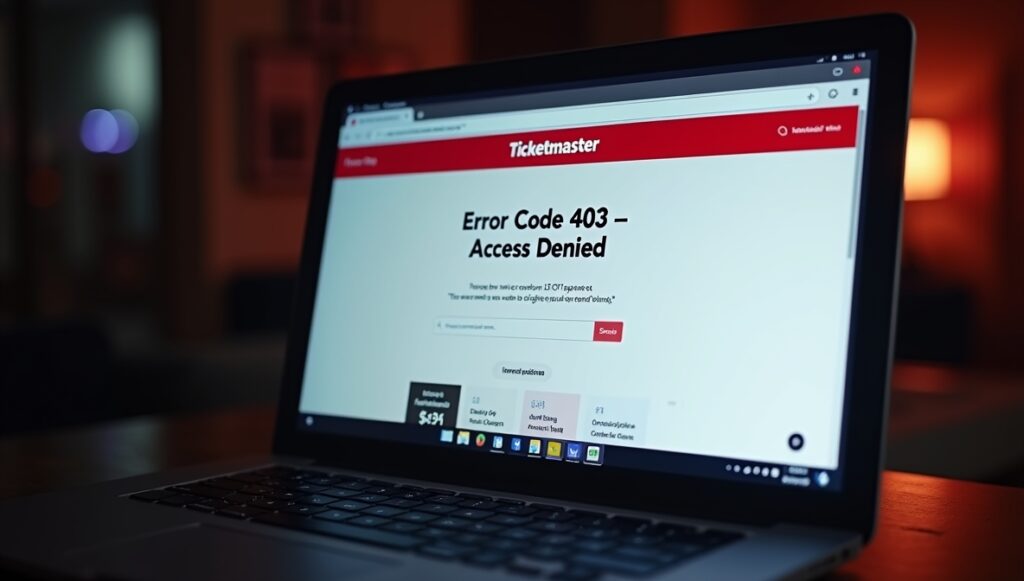
Ticketmaster Error Code 403 Access Denied appears when the platform’s security systems block your connection before pages load—usually during high-demand ticket sales or when traffic patterns look risky.
If you are seeing Ticketmaster error code 403, you are not alone. This issue affects thousands of real users every day, especially during high-demand ticket sales. The good news is that this error is usually fixable, and in many cases, access returns automatically.
This guide explains exactly what Ticketmaster error code 403 means, why it happens, how to fix it step by step, and how to prevent it in the future.
Quick Fixes for Ticketmaster Error Code 403 (Try These First)
- Disable VPN and reload
- Switch to mobile data
- Clear cookies
- Open a new private window
- Wait 10–30 minutes
What Is Ticketmaster Error Code 403?
Ticketmaster error code 403 is an “Access Denied” message generated when Ticketmaster’s security systems block a connection before the website fully loads.
A 403 error means the server understands your request but refuses to authorize it. On Ticketmaster, this typically appears as:
- “403 Access Denied”
- “You don’t have permission to access this page”
- A blank page with a 403 code
Unlike checkout errors or payment failures, this block happens before you can even browse tickets in some cases.
Why Ticketmaster Shows Error Code 403
Ticketmaster operates one of the most heavily protected ticketing platforms in the world. To fight bots, scalpers, and automated ticket buying software, the platform uses aggressive security filters.
Ticketmaster relies on enterprise-level security infrastructure similar to what banks and large e-commerce platforms use. Traffic is analyzed in real time using rate limiting, IP reputation scoring, and behavior-based filters. When a connection crosses predefined thresholds, access is denied automatically without human review.
Here are the most common reasons Ticketmaster error code 403 appears.
1. IP Address Blocking
Ticketmaster may temporarily block your IP address if it detects:
- Too many rapid requests
- Repeated refresh behavior
- Traffic patterns similar to bots
This often happens during presales or major event drops.
2. VPN or Proxy Usage
Using a VPN, proxy server, or privacy relay is one of the top triggers for error code 403. Shared IPs used by VPNs are frequently flagged due to abuse by automated scripts.
3. Browser Fingerprinting
Ticketmaster analyzes browser behavior, extensions, cookies, and device signals. Privacy extensions, script blockers, or outdated browsers can cause mismatches that trigger denial.
4. High-Demand Ticket Sales
During major on-sale moments, Ticketmaster enforces rate limits. Legitimate users refreshing too often may be blocked alongside bots.
5. Network-Level Restrictions
Public Wi-Fi, office networks, or shared apartment connections often reuse IPs that may already be flagged.
6. Account Security Flags
Rapid logins, repeated failed attempts, or unusual activity linked to your account can trigger temporary restrictions.
Is Ticketmaster Error Code 403 a Ban?
In most cases, no.
Ticketmaster error code 403 is usually a temporary access block, not a permanent ban. The system blocks traffic automatically based on behavior patterns, not personal intent.
There are three typical scenarios:
- Short-term IP block lasting minutes to hours
- Session-based block resolved by clearing cookies or switching browsers
- Network-based block affecting everyone on the same Wi-Fi
Permanent account bans are rare and usually tied to policy violations or confirmed bot usage.
How to Fix Ticketmaster Error Code 403 (Step-by-Step)
Try the following fixes in order. Most users regain access after completing just a few steps.
1. Stop Refreshing the Page
Repeated refreshes increase the chance of extended blocking. Close the tab and wait at least 5–10 minutes before retrying.
2. Clear Cookies and Cache
Corrupted or flagged cookies are a common cause.
Steps:
- Open browser settings
- Clear cookies and cached files for Ticketmaster
- Restart the browser
- Reopen Ticketmaster in a new tab
3. Log Out and Log Back In
If the block is session-related, logging out resets authentication tokens.
4.Switch Browsers
If you’re blocked on Chrome, try:
- Firefox
- Edge
- Safari
Different browsers generate different fingerprints.
5. Disable VPNs and Proxies
Turn off:
- VPN apps
- Browser VPN extensions
- iCloud Private Relay
- Corporate proxies
Then restart the browser.
6. Change Your Network
Switching networks forces a new IP address:
- Wi-Fi → mobile data
- Mobile hotspot → home Wi-Fi
- Restart router to refresh IP
This fix works especially well for IP-based blocks.
7. Use Incognito or Private Mode
Private windows start with clean cookies and extensions disabled.
8. Wait It Out
Many Ticketmaster 403 blocks expire automatically within 30 minutes to 24 hours. Waiting is sometimes the fastest solution.
Fixing Ticketmaster Error Code 403 on Specific Devices
1. Ticketmaster Error Code 403 on Chrome
- Disable extensions (especially ad blockers and privacy tools)
- Clear site data for Ticketmaster
- Update Chrome to the latest version
2. Ticketmaster Error Code 403 on Safari
- Turn off iCloud Private Relay
- Clear website data
- Disable content blockers temporarily
3. Ticketmaster Error Code 403 on Mobile App
- Force close the app
- Log out and log back in
- Switch networks
- Reinstall the app if needed
4. Ticketmaster Error Code 403 on Office or Public Wi-Fi
Shared networks are frequently flagged. Use mobile data or a personal hotspot instead.
Why Ticketmaster Blocks Real Users
Ticketmaster uses automated anti-bot systems designed to stop:
- Scalpers
- Automated ticket scripts
- Resale bots
These systems analyze behavior, not intent. When thousands of people hit the site at the same time, legitimate fans can look like bots simply due to speed, refresh frequency, or shared IP addresses.
During major sales, the system prioritizes platform stability over individual access, which is why real users sometimes get blocked.
How Long Does Ticketmaster Error Code 403 Last?
The duration depends on the trigger:
- Cookie/session blocks: Immediate fix after clearing data
- IP-based blocks: 30 minutes to several hours
- Network-level blocks: Until IP changes
- High-traffic blocks: Usually resolve after demand drops
In rare cases, blocks may last up to 24 hours.
How to Contact Ticketmaster Support for Error Code 403
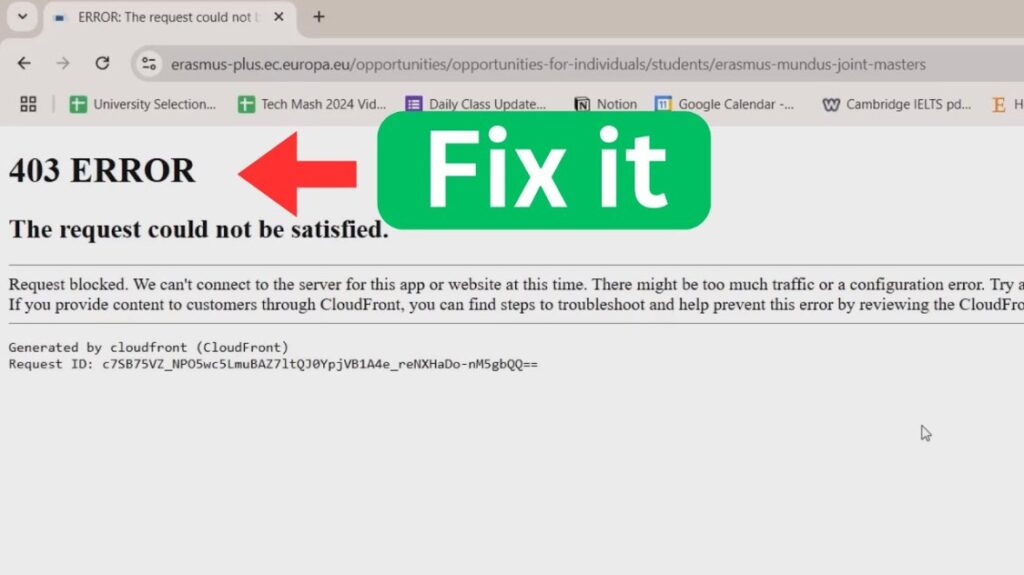
If access does not return after troubleshooting, contact Ticketmaster support.
Best Ways to Reach Support
- Help Center live chat
- Support request form
- Social media support channels
What to Include
- Screenshot of the 403 error
- Time and date of occurrence
- Device and browser used
- Network type (Wi-Fi, mobile, office)
- Confirmation that VPNs are disabled
Support agents cannot always override automated blocks, but they can confirm account status and advise next steps.
How to Prevent Ticketmaster Error Code 403 in the Future
Follow these best practices to reduce future blocks:
- Avoid rapid refreshing during sales
- Stay logged in before on-sale time
- Use a single browser tab
- Disable VPNs before browsing
- Keep browser and OS updated
- Avoid multiple devices on the same account simultaneously
- Use trusted personal networks
Small behavior changes dramatically reduce the chance of triggering security filters.
Best Practices to Avoid Ticketmaster Error Code 403
1. Rule: Use one browser and one tab
2. Rule: Disable VPNs during ticket sales
3. Rule: Log in before on-sale time
4. Rule: Avoid public or office Wi-Fi
Wrapping It Up!
Ticketmaster error code 403 is frustrating, especially when tickets are selling fast. Still, this error is rarely permanent and usually tied to automated security systems rather than user mistakes.
By disabling VPNs, clearing cookies, switching networks, and avoiding aggressive refresh behavior, most users regain access quickly. When demand spikes, patience often becomes the most effective fix.
If you’re locked out right now, follow the steps above carefully—and chances are you’ll be back in before the next seat disappears.
Frequently Asked Questions
Below are the most common questions users ask about Ticketmaster error code 403, answered clearly and in detail.
What does Ticketmaster error code 403 mean?
Ticketmaster error code 403 means access to the website or a specific page has been denied by Ticketmaster’s security system. The server receives your request but blocks it before the page loads.
This block is not a payment issue or checkout failure. It is a security-level restriction triggered by signals such as IP reputation, browsing behavior, network traffic patterns, or automated protection rules designed to stop bots and scalpers.
Why am I seeing Ticketmaster error code 403 as a real user?
Many real users see Ticketmaster error code 403 due to automated security filters. These systems analyze traffic patterns, not intent.
Common reasons include:
- Refreshing pages repeatedly during high-demand sales
- Using shared Wi-Fi or office networks
- Accessing Ticketmaster through a VPN or proxy
- Browser extensions interfering with scripts
- High traffic from the same IP address
During major ticket drops, legitimate fans are often blocked alongside bots.
Is Ticketmaster error code 403 a permanent ban?
No. Ticketmaster error code 403 is almost always temporary.
In most cases:
- The block expires automatically
- Access returns after clearing cookies or changing networks
- The issue resolves once traffic levels drop
Permanent bans are rare and usually tied to repeated policy violations or confirmed automated activity.
How long does Ticketmaster error code 403 last?
The duration depends on the trigger:
- Session or cookie-related blocks: Fixed immediately after clearing browser data
- IP-based blocks: Usually 30 minutes to a few hours
- Network-level blocks: Last until the IP address changes
- High-traffic restrictions: Clear once demand stabilizes
In rare situations, the block may last up to 24 hours.
Can Ticketmaster block my IP address?
Yes. IP blocking is one of the most common causes of Ticketmaster error code 403.
Ticketmaster may temporarily block an IP address if it detects:
- Rapid repeated requests
- Traffic resembling automated behavior
- A shared IP previously used by bots
This often affects users on public Wi-Fi, office networks, or VPN services.
Does using a VPN cause Ticketmaster error code 403?
Yes. VPN usage is a major trigger for Ticketmaster error code 403.
VPNs route traffic through shared IP addresses. If that IP has a history of bot activity or excessive requests, Ticketmaster may block it automatically. Disabling the VPN and reconnecting through a normal network often restores access immediately.
Why does Ticketmaster work on mobile data but not on Wi-Fi?
This happens when your Wi-Fi IP address is blocked while your mobile carrier assigns a clean IP.
Mobile networks rotate IPs frequently, which helps bypass IP-based restrictions. If Ticketmaster loads correctly on mobile data, your Wi-Fi network is likely the source of the block.
Restarting the router or switching networks usually fixes the issue.
Can browser extensions cause Ticketmaster error code 403?
Yes. Certain browser extensions can trigger access denial.
Common culprits include:
- Ad blockers
- Script blockers
- Privacy and fingerprint protection tools
- VPN extensions
Disabling extensions temporarily or using incognito mode often resolves the error.
Will clearing cookies fix Ticketmaster error code 403?
In many cases, yes.
Ticketmaster stores session and tracking data in cookies. If those cookies are flagged, clearing them resets your session and removes the block. This is one of the fastest fixes for Ticketmaster error code 403 caused by browser-level issues.
Should I keep refreshing when I see error code 403?
No. Repeated refreshing can extend the block.
Ticketmaster monitors request frequency. Continuing to refresh signals suspicious behavior and may lengthen the access restriction. Closing the tab and waiting 10–30 minutes is usually more effective.
Can Ticketmaster support remove error code 403?
Support from Ticketmaster can confirm account status, but they cannot always manually remove automated security blocks.
Support is most helpful when:
- The block persists longer than 24 hours
- Access is denied across multiple networks and devices
- The error appears even after troubleshooting steps
Providing screenshots, timestamps, and device details improves response quality.
How can I avoid Ticketmaster error code 403 in the future?
To reduce the chance of seeing this error again:
- Stay logged in before ticket sales start
- Use a single browser tab
- Avoid aggressive refreshing
- Disable VPNs and proxies
- Use trusted personal networks
- Keep browsers and devices updated
These steps significantly lower the risk of triggering automated security systems.