
Usually, Ticketmaster Error Code U001 appears during checkout and signals a problem completing your ticket purchase, most often linked to system load, account or browser conflicts, or tickets selling out in real time. The good news is that in most cases you can clear this error with a few practical steps and still secure your seats if tickets are available.
What is Ticketmaster Error Code U001?
Ticketmaster Error Code U001 is a generic transaction failure message that stops your order from going through even though you selected seats and reached the payment stage. It usually means Ticketmaster cannot validate or finalize your request, either because of heavy traffic on the event, a temporary system issue, or an issue with how you are accessing the site.
From a user perspective, U001 feels like an unexpected checkout block where you see a message saying your request cannot be processed and you must select new tickets and try again. This often happens for high demand concerts, sports games and special presales where seats are being purchased by many fans at the same moment.
Common Causes of Error Code U001
Several factors commonly trigger error code U001 Ticketmaster during a purchase attempt. Understanding these causes will help you troubleshoot quickly without losing valuable time during a competitive onsale.
The most frequent reasons include:
- Sudden spikes in traffic on the Ticketmaster platform for a specific event.
- Tickets selling out while you are still in the purchase flow.
- Multiple browser sessions or devices logged in on the same account, which can look like automated bot activity.
- Corrupted browser cache or cookies causing mismatched session data.
- Network, VPN or ad blocker interference between your device and Ticketmaster servers.
High Traffic and Server Load
For big onsales, Ticketmaster servers process thousands of requests in parallel which can overwhelm the system at peak moments. When the platform cannot handle or validate your request in time, it may show U001 instead of sending you straight to order confirmation.
These spikes often happen right at onsale start, during presales, or when an artist adds extra dates and demand surges again. In such cases, the problem usually lies on the platform side and resolves on its own once traffic normalizes or system capacity catches up.
Tickets Selling Out Mid Purchase
Error code U001 can also appear when the tickets you selected are no longer available by the time your payment is processed. Seats are often held for only a short timer, and if other fans complete checkout faster, your attempt can fail at the last step with this generic error.
This is common for high demand events with limited allocations in certain price levels or sections. You might even see U001 when trying for a specific quantity of tickets, while a different quantity or section is still available in the system.
Multiple Devices, Tabs and Bot Like Activity
Using several browsers, devices or tabs at the same time to grab better seats can trigger automated protection systems. The platform may interpret this as suspicious behavior, temporarily blocking your purchase attempt and returning error code U001.
For example, if you are logged into the same account on your phone, laptop and tablet while refreshing multiple tabs, the system may see this as automated scraping or unfair queue manipulation. In that scenario, stopping extra sessions and returning to a single clean device often clears the problem.
Browser Cache, Cookies and Session Problems
Outdated or corrupted cache and cookies can interfere with Ticketmaster’s ability to maintain a stable session for your account. When your stored data conflicts with current event availability or security checks, the system may fail your request and surface U001 instead of a successful order.
This can happen if you have not cleared your browser data in a long time or if you previously abandoned multiple checkout attempts for similar events. Clearing cache and cookies, then logging back in, resets the session and usually eliminates this type of glitch.
Network, VPN and Ad Blocker Issues
Another common cause of error code U001 is interference from your network settings or privacy tools. Tools like VPNs, proxies or aggressive ad blockers can mask or alter your IP, block critical scripts, or trigger Ticketmaster security filters.
If your IP address jumps between locations or looks unusual, the platform may fail your transaction for safety and present the U001 message. Similarly, unstable Wi Fi or mobile data connections can interrupt communication during checkout and result in the same error.
How to Fix Ticketmaster Error Code U001?
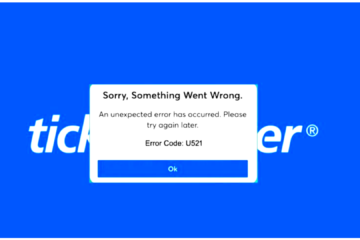
When error code U001 appears, act quickly but calmly, focusing on steps that stabilize your session while preserving your chance to buy tickets. Work through the following actions in order, and keep an eye on ticket availability during each step. Ticketmaster Error Code U521
Main fixes include:
- Use only one device and one browser window for your purchase.
- Clear browser cache, cookies and history, then sign in again.
- Switch to a different browser or use a private or incognito window.
- Turn off VPN, proxy and ad blocking tools for the session.
- Check event and platform status, then wait and retry if there is a known outage.
Step by Step Troubleshooting Process
Follow these steps sequentially once you see error code U001 on Ticketmaster.
- Close extra devices and tabs
-
- Sign out from Ticketmaster on all devices except the one you plan to use.
- Close every browser tab related to Ticketmaster and keep just one clean window open for the purchase.
- Clear browser cache and cookies
- Open your browser settings and clear browsing history, cookies and cached images or data.
- Fully exit the browser, reopen it, go to the site and log back into your Ticketmaster account before trying again.
- Try a different browser or private window
-
- If the error continues, open a different browser such as Chrome, Firefox, Edge or Safari.
- Alternatively, use a private or incognito window for a fresh session that ignores old cache or cookies.
- Disable VPN, proxy and ad blocker
-
- Turn off any VPN apps or browser extensions that mask your location or reroute your traffic.
- Pause ad blocker extensions or privacy tools for the ticketing site to ensure all scripts can load properly.
- Refresh network connection
-
- Switch from Wi Fi to mobile data or vice versa to see if the error is tied to one network.
- If possible, restart your router or modem and then reload the Ticketmaster page after connection stabilizes.
- Check Ticketmaster and event status
-
- Visit outage tracking sites or platform status pages to see if other users report issues at the same time.
- Look at official social media channels for announcements about system problems or pauses on specific onsales.
- Select different tickets or quantity
-
- If U001 repeats on the same seats or quantity, try choosing a different section, price level or number of tickets.
- In some user reports, changing from one ticket quantity to another allowed checkout to complete successfully.
Tips to Avoid U001 in the Future
A few proactive habits can dramatically lower the chance of seeing error code U001 Ticketmaster during future onsales. These best practices also help you move faster when every second counts for high demand events.
- Before an onsale:
-
- Log into your Ticketmaster account early and confirm your payment details and billing address are up to date.
- Clear your browser cache once beforehand and decide which single device and browser you will use.
- Disable VPNs and heavy blocking extensions ahead of time so the checkout flow is clean.
- During the onsale:
-
- Use only one device and one browser window instead of multiple tabs or parallel sessions.
- Avoid constant manual refreshing once you are in the queue or seat selection; follow on screen prompts instead.
- Move quickly once seats are offered, because delays increase the chance of losing tickets and triggering U001.
When to Contact Ticketmaster Customer Service
If you have tried the main troubleshooting steps and error code U001 still appears for every attempt, the issue may be linked to your account or a broader system problem. In that situation, contacting the official Ticketmaster phone number Customer Service is the safest option before repeatedly attempting purchases.
You can reach out through the help center forms or contact options provided on the official support site, explaining the event, device, browser and steps you already tried. Support executives can check for account flags, known problems with that event or payment rules that might be silently blocking your order. Ticketmaster error code 5005
Quick FAQs
- What is error code U001 on Ticketmaster?
- It is a generic error message indicating the platform could not complete your ticket purchase due to load, availability or technical conflicts in your session.
- Is U001 always a sign that tickets are gone?
- Not always; sometimes it is purely a system or browser issue, though it often appears when tickets are selling out quickly.
- Can you fix error code U001 yourself?
- In many cases yes, by using a single device, clearing cache, switching browsers, turning off VPN or ad blockers, and retrying after a short wait.